Skip to content
AliScore

Features

Everything the extension actually does

Check seller trust, analyze reviews, and track product ratings in one click — this list is the shipped behaviour and nothing else. Anything still experimental stays off this page until it works for real on your product page.

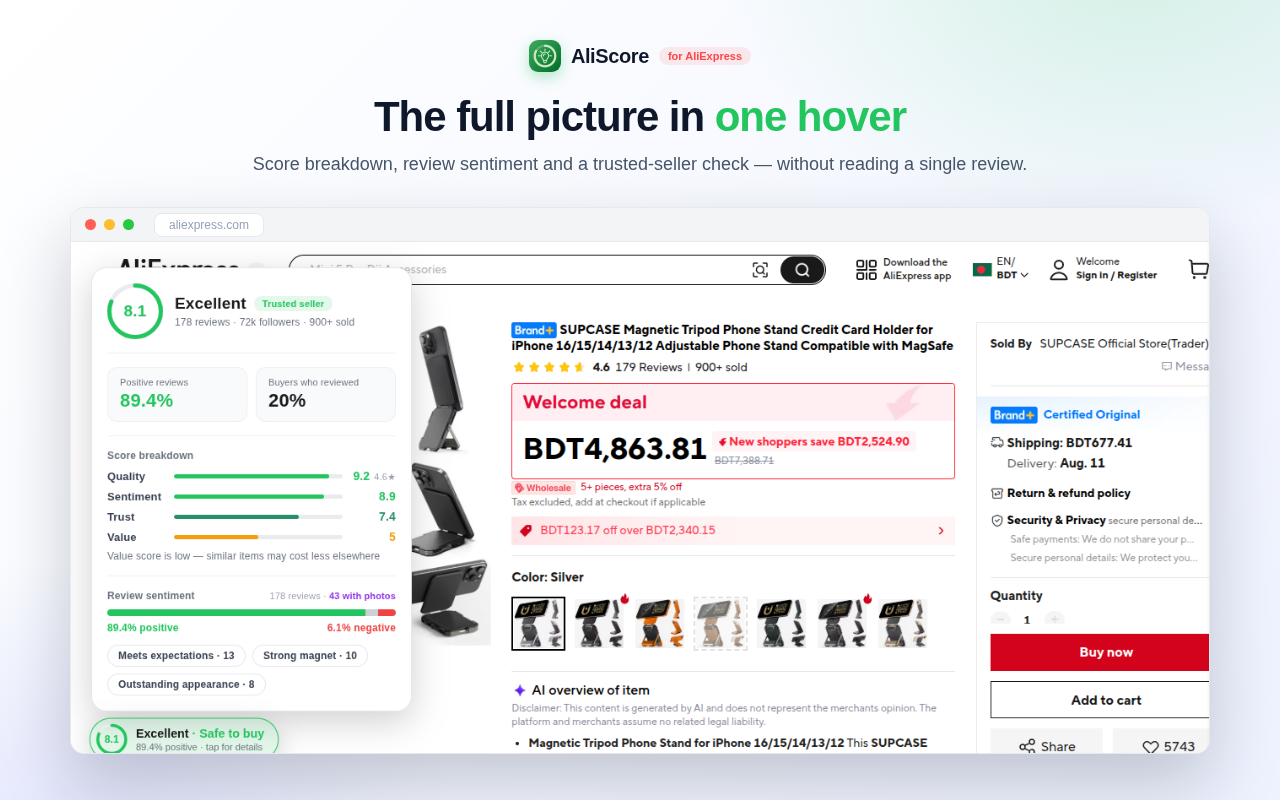
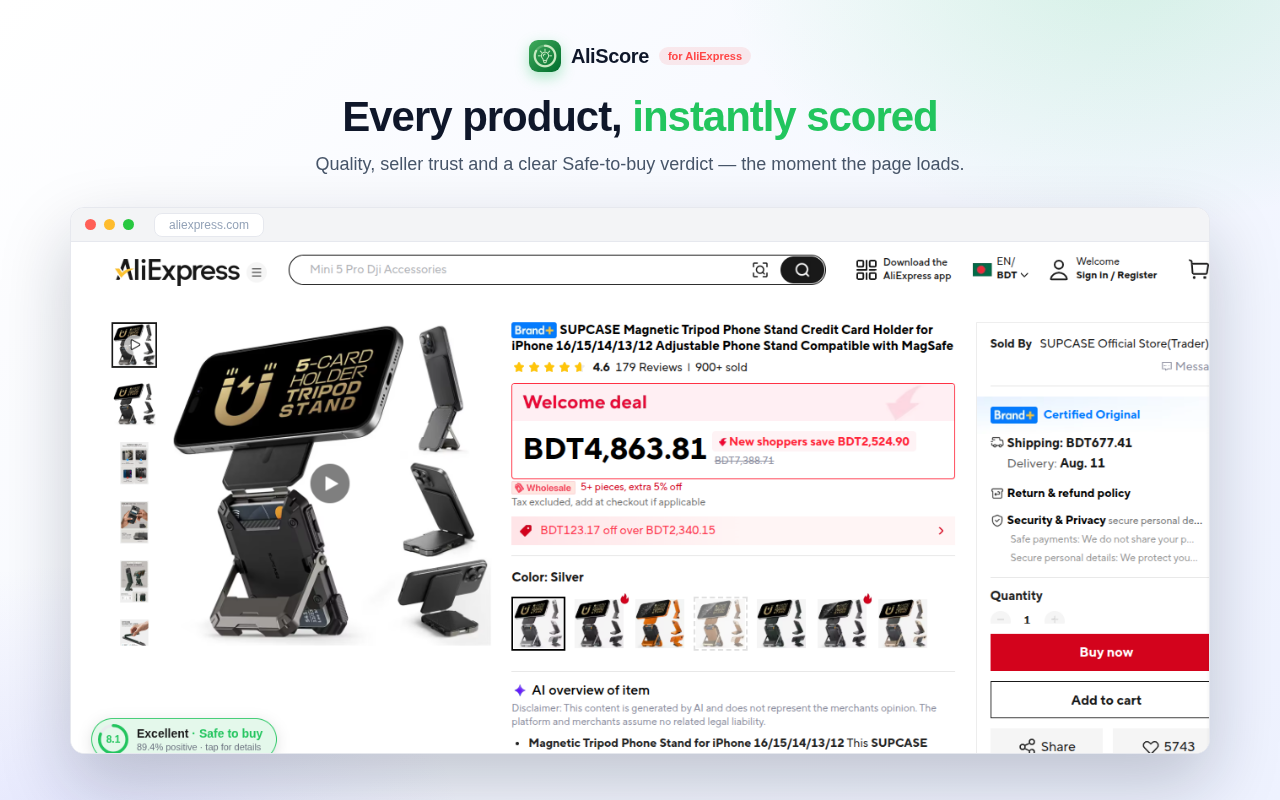
Instant 0–10 product score

The headline number, on every product page, before you have scrolled anything.

  • A compact pill appears as soon as the page settles; tap it for the full insights card.
  • Four weighted components — quality, sentiment, review volume and value — collapse into one number.
  • Listings with almost no review history are dampened rather than flattered.
  • When the data is missing entirely you get "not enough data", never an invented score.
Instant 0–10 product score

Safe-to-buy verdict

The score, turned into the decision you were actually trying to make.

  • Four plain-English verdicts on the pill itself: Safe to buy, Worth considering, Buy with care, Risky.
  • Cut at 8.0, 6.0 and 4.0 on the same 0–10 score — no second model behind it.
  • Sits next to the tier label (Excellent, Great, Good, Average, Poor) so a "Good" that is only "Buy with care" reads as exactly that.
  • A product with no data gets no verdict at all.

Seller trust score

A separate 0–10 answer to the question the listing page never puts in front of you: is this store safe?

  • Built from the store’s positive-feedback rate (70%) and follower base (30%).
  • Graded on a strict scale, because nearly every AliExpress store advertises 90%+ feedback.
  • Labelled in plain words — Trusted, Reliable, Fair, Caution, Risky.
  • Shown next to the product score, so a good product from a bad store is visibly that.
Seller trust score

Review analysis, summarised

What five hundred reviews actually said, without reading five hundred reviews.

  • A positive-versus-negative split drawn from the public review statistics.
  • The five-star share, plus the structured Quality and Value labels AliExpress computes.
  • The top things buyers repeatedly mentioned, positive and negative.
  • How many reviews arrived with real buyer photos.

Full score breakdown

The number is only useful if you can see where it came from.

  • Each of the four components gets its own bar and its own 0–10 value.
  • Weights are shown alongside, so you can weigh a component differently than we do.
  • A 7.4 propped up by a discount looks different from a 7.4 earned on quality.

Warning signs, named in plain English

Not a vague risk meter — specific, checkable statements about this listing.

  • Thin review history, with the actual count.
  • Negative sentiment above the level where complaints stop looking like noise.
  • A store whose feedback and following fall short of an established seller.
  • Weak value, when similar items are likely to cost less elsewhere.
  • Every warning fires on a threshold that already moved the score — no invented cut-offs.

Scores across the whole site

Comparison happens on listing pages, so the badges are there too.

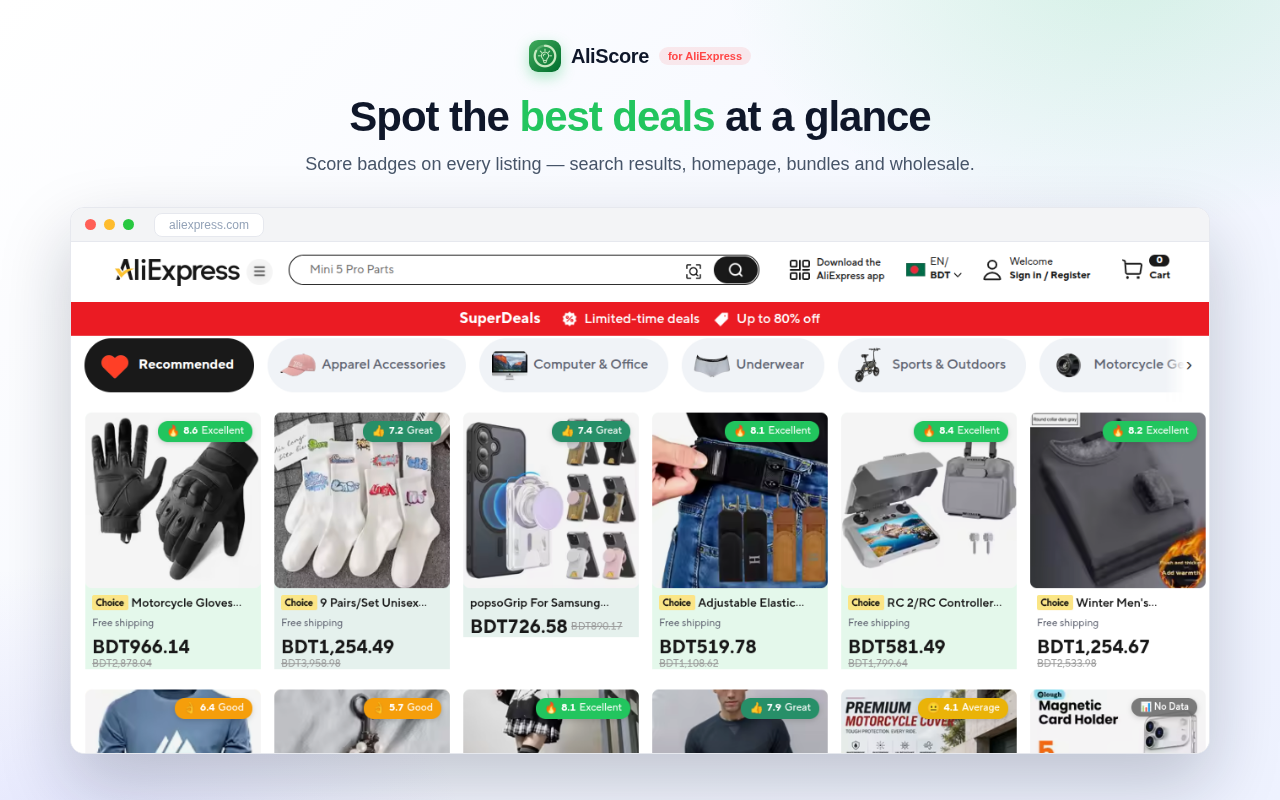
  • Score badges on search results, homepage deals, bundle, wholesale and category pages.
  • An outlined badge is an estimate from what the card shows; hover it for a moment, or click, and it verifies against the review data and turns solid.
  • Verified results are cached on your device for 72 hours, so checking the same product again costs nothing.
  • A card with no genuine signal gets an "AliScore ?" mark rather than a made-up number.
  • Keeps up with infinite scroll as new cards load in.
Scores across the whole site

Best Deals row on search

The comparison you were about to do by eye, done for you at the top of the results.

  • On a search or category page, every visible product card is scored and the top five are pulled into one horizontal row.
  • Each card shows the image, title, price and its score badge; click through to the listing.
  • Scored from what the cards show — rating, sold count, price — so treat it as a shortlist to verify, not a final answer.
  • If nothing on the page can be scored, the row simply does not appear.

The boring details

What you are installing

Manifest V3
Both builds are MV3, the current extension platform for Chrome and Firefox.
Chrome, Edge, Brave, Opera, Firefox
One Chromium build plus a dedicated Firefox build.
AliExpress domains only
aliexpress.com, aliexpress.us and aliexpress.ru. It cannot run anywhere else.
One permission
Storage, for your own settings and a 72-hour cache of public review figures. No tabs, no scripting, no cookies permission.
No account, no tracking
No signup, no profile, no analytics bundled in the extension.
Scored in your browser
The formula runs locally on public data from the page you opened. AliExpress is the only host it ever contacts.
Affiliate support is opt-in
A dialog on the page asks once. Press "Allow" and product pages open through our affiliate link, reloading once; press "No thanks" and nothing ever reloads. The switch lives in the popup.

Ready when you are.

Install it once, then every AliExpress product you open comes pre-judged.

Add to Chrome — freeFirefox · coming soon