Prices & discounts
AliExpress 11.11 Sale Explained (and How to Tell If a Price Is Real)
How the AliExpress 11.11 sale works, from warm-up to pay phase, how coupons stack, 11.11 vs Black Friday, and a price check to run before you pay.
· 5 min read
ALISCORE · FOR ALIEXPRESS
Get a clear 0–10 product score, seller trust check and review insights, right on AliExpress. A little more context for your next great find.
Product insights, at a glance.
$24.90 Sample productHere’s what the signals say.
Illustrative preview · sample data
The problem
When nearly every listing looks excellent, the rating stops carrying information. The signal that actually separates a good buy from a bad one is buried: how many reviews back that rating, how many of them are negative, and whether the store behind it has any history at all.
5.0 from six reviews and 4.6 from four thousand look almost identical in the listing — and are not remotely the same bet.
Product quality and store reliability are separate questions. AliExpress shows you the store name and buries the rest.
The complaints that matter are on page seven, in three languages, under photos of a different colourway.
Try it without installing
This runs the extension's real scoring code, not a mock-up of it. Give it a listing and it answers exactly as it would on AliExpress — including refusing to be impressed by five stars from six reviews.
AliScore verdict
🔥 Excellent
Score breakdown
No warning signs
Nothing in this listing trips a threshold the score penalises.
This panel runs the extension's actual scoring code — the same calculateScore() that ships in version 1.1.1. Move a slider and you see exactly what a real listing with those numbers would score.
What it does
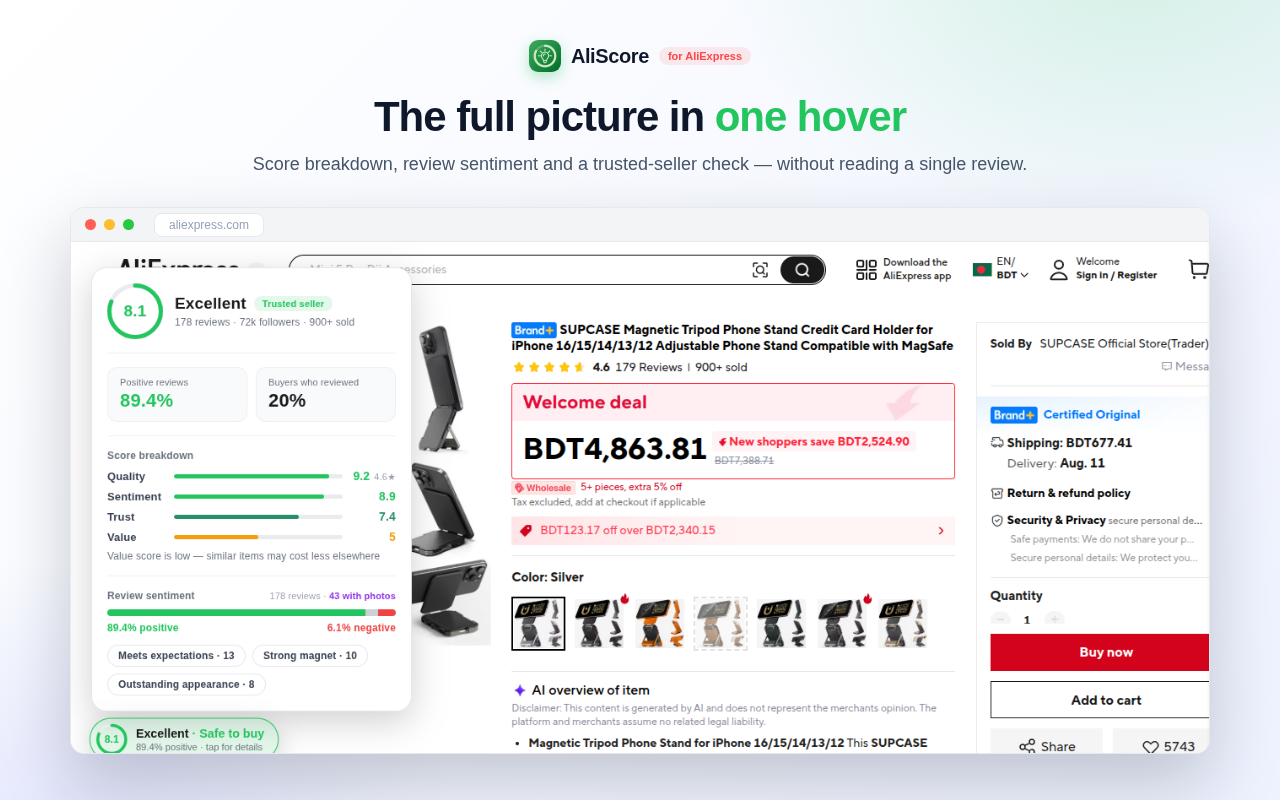
The moment a product page loads, a pill shows how good the item actually is, with a plain-English verdict: Safe to buy, Worth considering, Buy with care, or Risky.
Store positive-feedback rate and follower base become a 0–10 trust score on a deliberately strict scale, because almost every AliExpress store claims 90%+.
A positive-versus-negative split, the five-star share, what buyers repeatedly praised, and how many reviews came with real photos — instead of scrolling five hundred comments yourself.
Quality, Sentiment, Review volume and Value each get their own bar, and anything that dragged the score down — thin reviews, complaints, a weak store, poor value — is named.
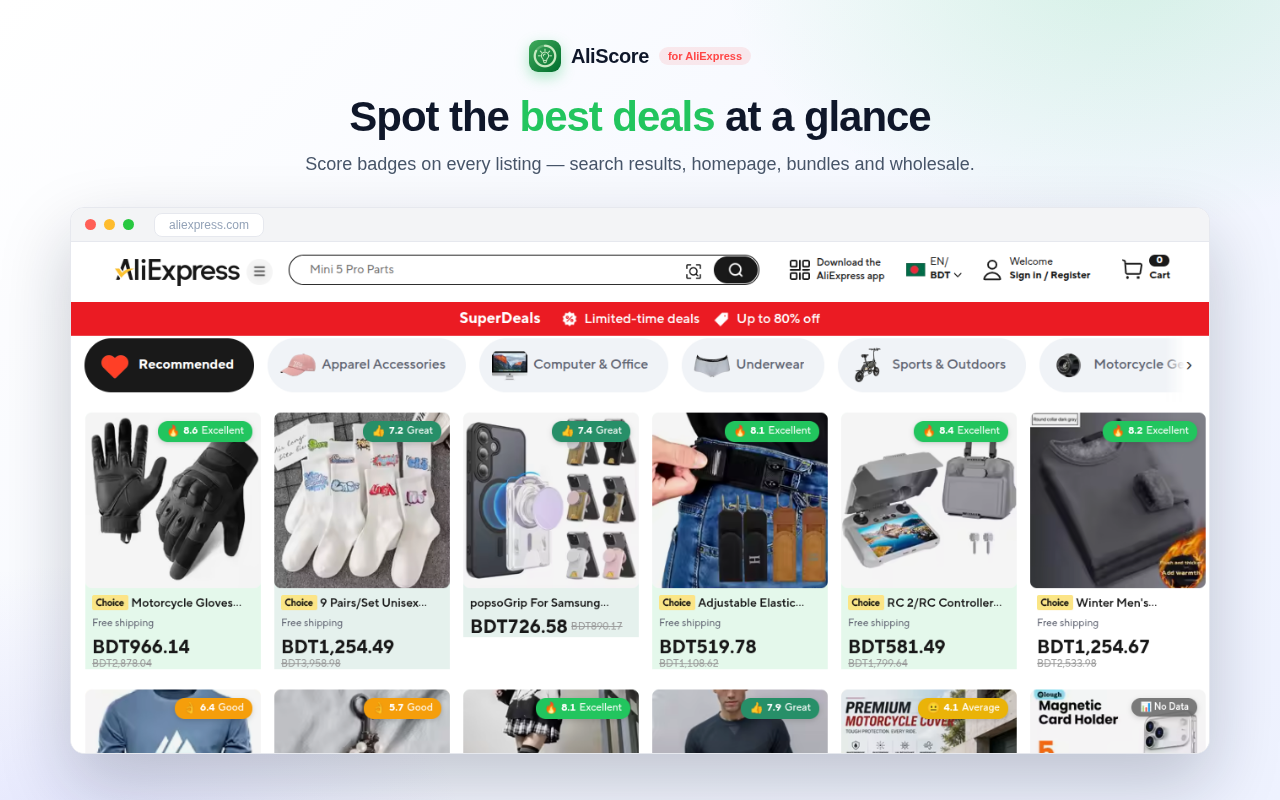
Search results, homepage deals, bundle, wholesale and category pages get a badge per card. An outline is an estimate from the card; hover or click it and it verifies against the review data.
On a search page, the five highest-scoring listings on screen are pulled into one row at the top, so the comparison is done before you scroll.
On the page
How it works
One click from the store. No account, no signup, no configuration screen to get through.
Open AliExpress the way you always do. The extension only ever runs on AliExpress domains.
A pill appears on every product page — tap it for the full insights card. On listing pages, hover or click a badge to verify it.
Or do not — a low score that saves you one bad order has already paid for itself.
For dropshippers
Sourcing is a trust problem before it is a margin problem. A supplier with thin history and rising negative sentiment produces refunds, chargebacks and one-star reviews on your store — months after you picked them.
From the blog
Guides to the numbers the extension reads — seller feedback, review shape, real versus staged discounts — written so they work with or without it installed.
Prices & discounts
How the AliExpress 11.11 sale works, from warm-up to pay phase, how coupons stack, 11.11 vs Black Friday, and a price check to run before you pay.
· 5 min read
Shopping safely
AliExpress order not received? The countdown on your order page sets every deadline. When to wait, message the seller, extend protection or dispute.
· 7 min read
Prices & discounts
AliExpress free shipping is a condition, not a price. How the threshold works, why the fee appears at checkout, and how to compare the real total.
· 6 min read
Questions
Yes. There is no paid tier, no trial and no account. The extension is funded by the AliExpress affiliate program, which is disclosed in the listing, in the privacy policy and on this site.
Two places, both public: what is already visible on the page you opened, and AliExpress's public product-review statistics endpoint. The score itself is computed in your browser.
No account is required. The privacy policy explains product analysis requests, affiliate links, purchase statistics and the data used by the website. Read it for the full details and available controls.
Because five stars from six reviews is not evidence. Below ten reviews the score is dampened on purpose, and the panel tells you that is what happened.
Because you pressed "Allow" on the affiliate dialog. The extension is free and funded by the AliExpress affiliate program; with your permission it re-opens a product page once through our affiliate link so the commission is credited. It never does this on cart, checkout or order pages, the price never changes, and the switch is in the extension popup.
Install the Chrome build from the Chrome Web Store. It also works in compatible Chromium browsers such as Edge, Brave and Opera. A Firefox store link is not available here yet.
That is one of the main ways people use it. Seller trust plus review sentiment is exactly the supplier-vetting question, answered on the listing page instead of in a spreadsheet.
Still stuck? Support and troubleshooting →
If the score surprises you, it just saved you money.